

You bring the data. DashViz does the rest.
No setup project, no formulas, no report to rebuild every Monday. Bring the data your business already has, and DashViz builds the dashboards, answers your questions and keeps watch over your numbers.
What DashViz does with it.
Four jobs you no longer do by hand.
Instead of building pivot tables and charts
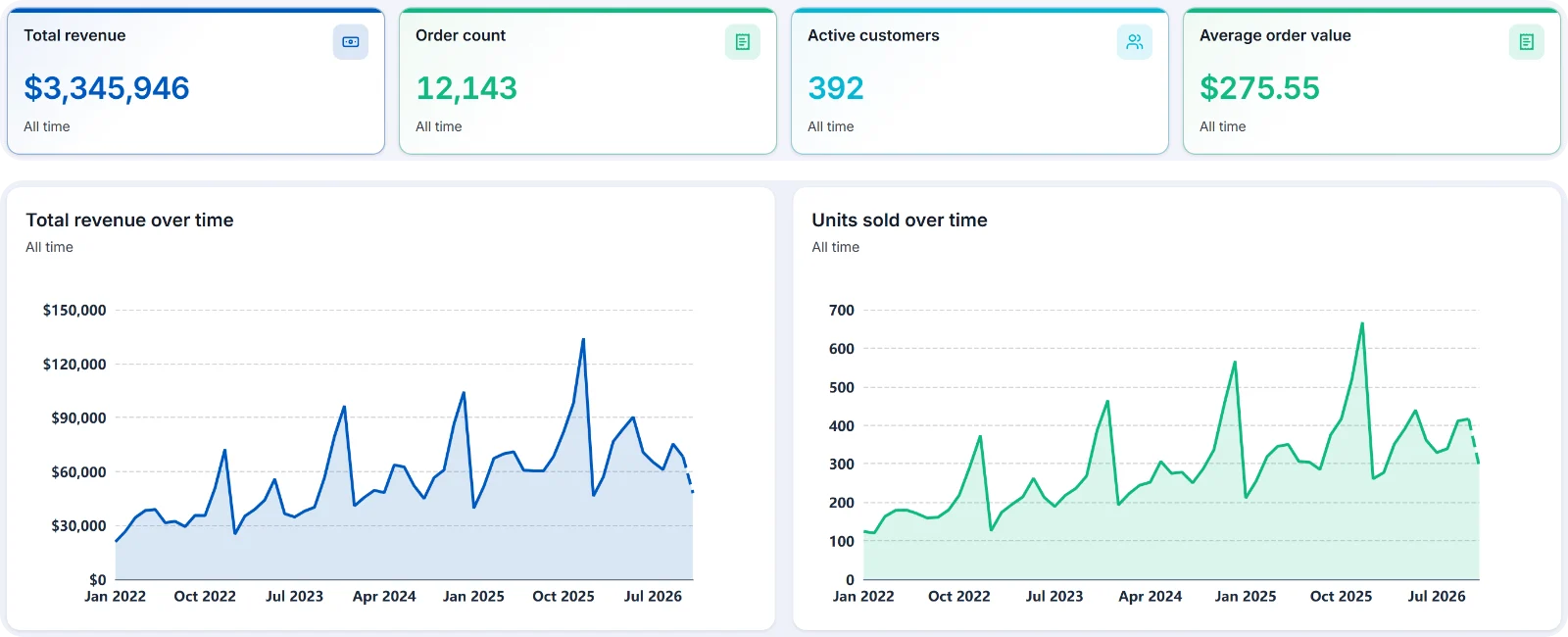
It builds your dashboards.
As soon as your data is in, DashViz works out what each column holds and which figures it can support, such as revenue, customers and average order value, and lays them out as totals, trends and tables with filters. You see how it read your data before anything is saved. Rename, hide or reorder the dashboards to suit you; on Pro, build your own and choose every chart on them.
Instead of digging through rows yourself
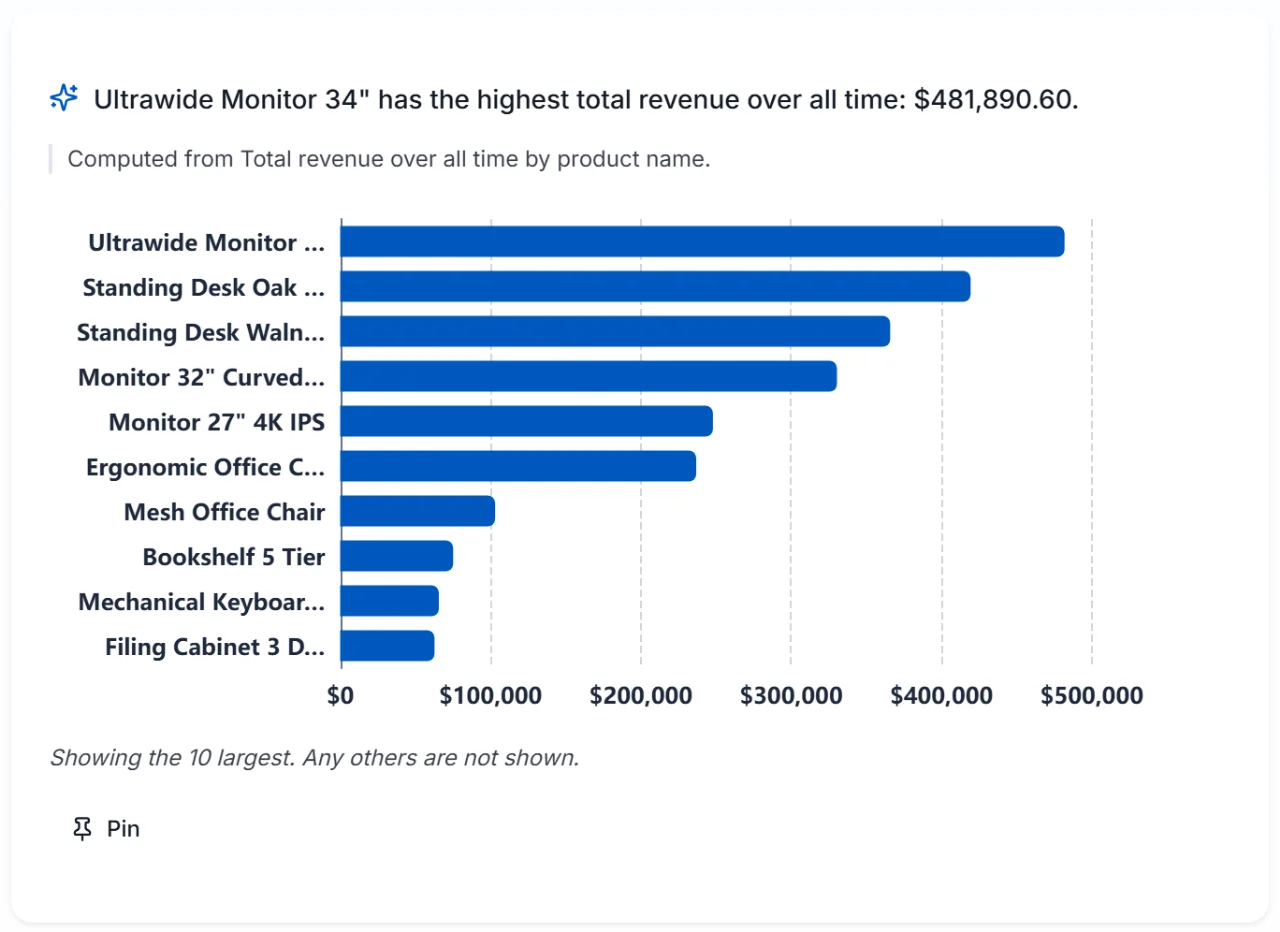
It answers your questions.
Ask in plain English, the way you would ask a colleague. DashViz answers from your own data with an explanation and a chart or table, and you can ask a follow-up. On Pro, pin any answer to a dashboard.
Try one on the live demo:
Instead of checking the numbers every morning
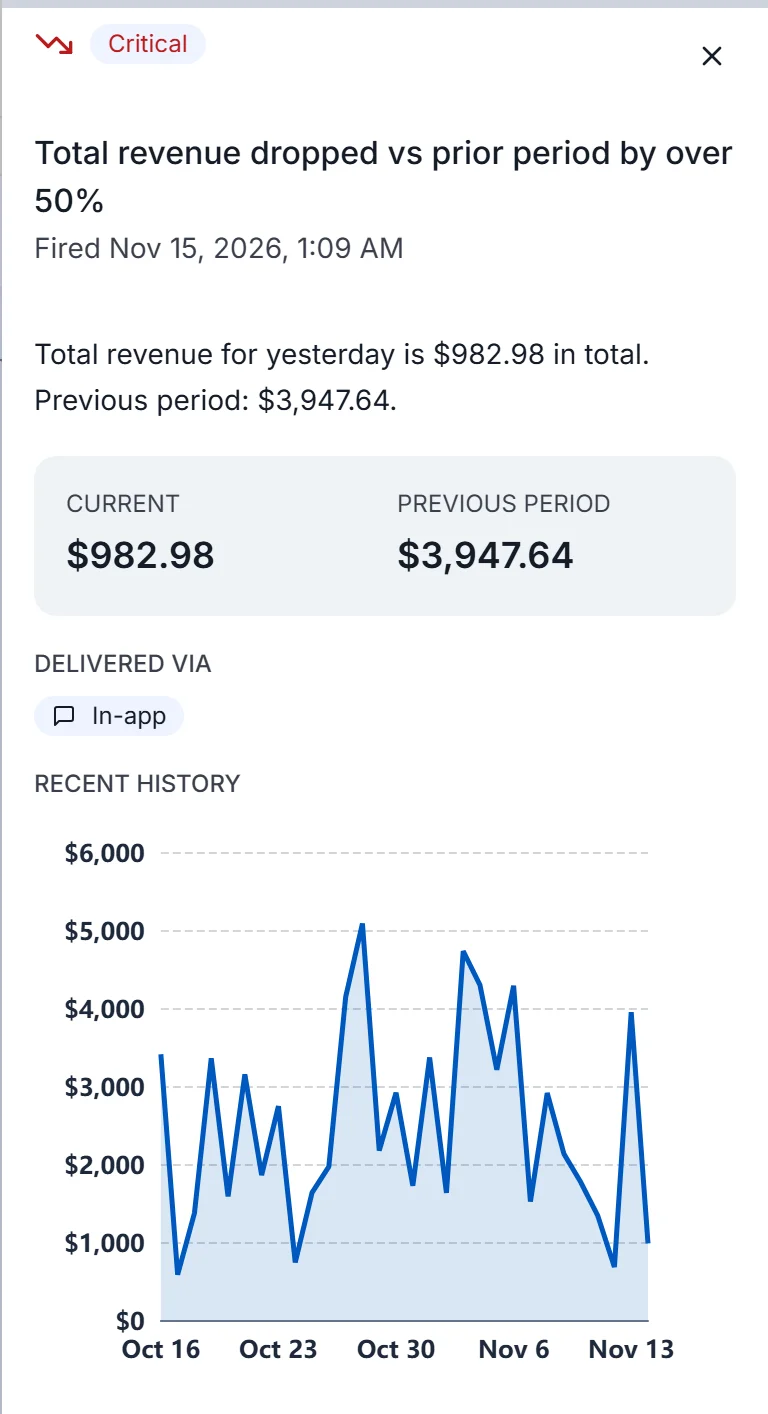
It keeps watch.
DashViz switches on a set of starter alerts that fit your data, such as a sharp drop in revenue, and checks them every day and again whenever new data arrives. When one trips, it tells you by email or in the app, with the figures behind it. Add rules of your own for the figures you care about. Pro adds anomaly alerts you set yourself, and text-message alerts are coming soon.
Instead of rebuilding the report every week
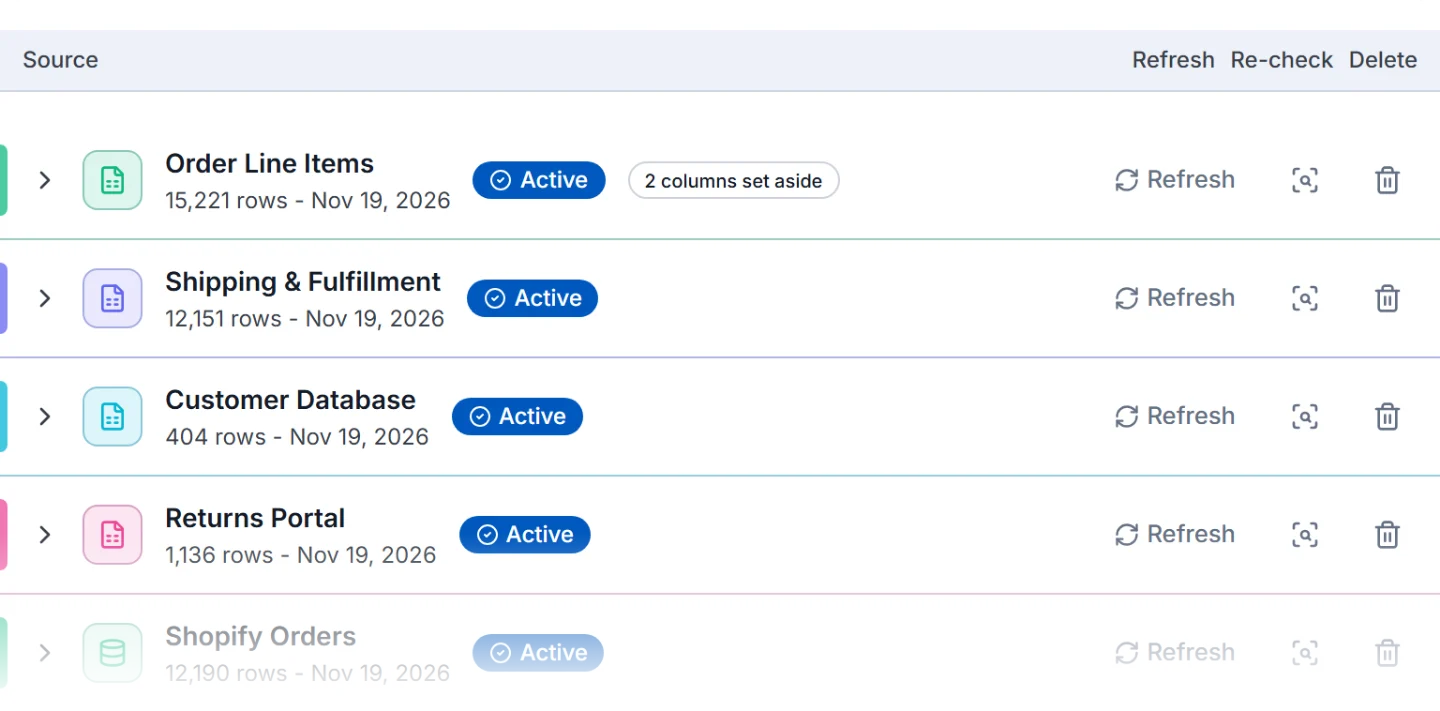
It keeps everything current.
When new data comes in, refresh the source. DashViz adds what's new and deletes nothing, and every dashboard and alert built on it moves to the new numbers. Dashboards you renamed, hid or moved, and dashboards of your own, stay as you left them.


Your data stays yours.
Each business's data is kept in its own private space in the database, encrypted at rest and in transit. How we protect it
What happens to your data
Step 1: You bring your data
From the files and tools you already use.
Step 2: It stays in your account
Your data is kept separate from every other business.
Step 3: Questions only read it
Answers come from read-only queries, checked before they run.
Step 4: It never trains AI
Your business data is never used to train AI models.
Everything that's included.
Compare plans- Dashboards built from your data
- Rename, hide and reorder dashboards
- Filters that narrow step by step
- Questions in plain English
- Answers with charts and tables
- Starter alerts that fit your data
- Alert rules of your own
- Email and in-app notifications
- CSV and Excel files
- Refresh without rebuilding
- Several sources in one overview
- Your data kept separate and encrypted
- Custom dashboards (Pro)
- Answers pinned to dashboards (Pro)
- Anomaly alerts you set (Pro)
- Native connectors (Pro, coming next)
- Text-message alerts (Pro, coming soon)